WiFi, Fibr and courts —behind one sign-in.
SynapseGo connects you to WiFi hotspots, manages your home Prepaid Fibr plan, books pickleball courts with Picklebook, and gets you into drop-in Open Play sessions — all under one Google sign-in, protected by an account PIN.
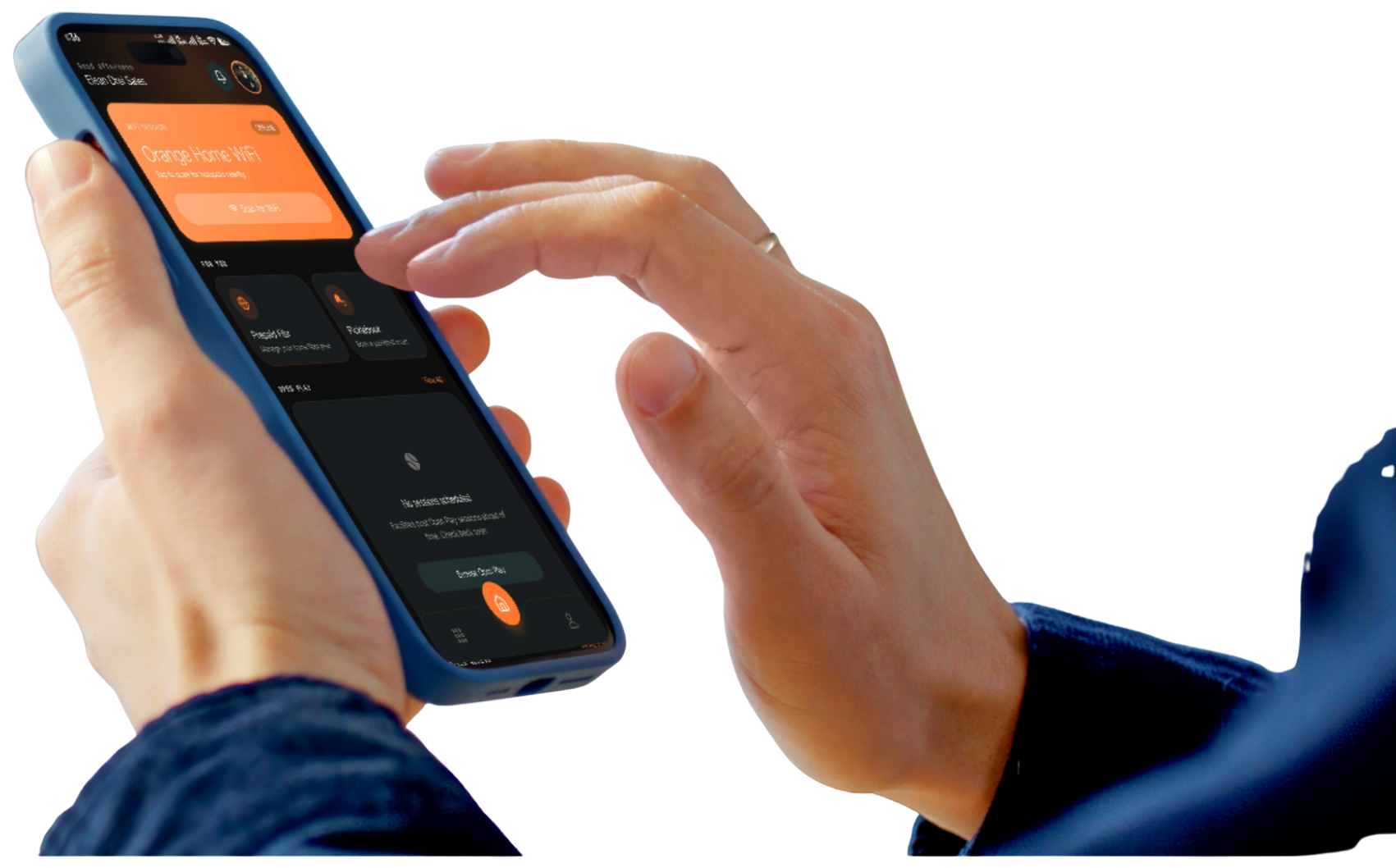
“One account, every service — WiFi, Fibr, courts and Open Play all sit behind a single sign-in, protected by a PIN that follows your account, not your phone.”
One sign-in
Google Sign-In creates a single SynapseGo account — every service below sits behind it, with nothing to register separately.
One payment flow
GCash and QR Ph, powered by PayMongo, are the same checkout everywhere — a WiFi session, a Fibr top-up, or a court booking.
One PIN, every device
Your PIN belongs to your account, not your phone — it survives a reinstall. Biometrics unlock the specific device you set them up on.
Every service, one launcher
Services is a customizable mosaic, not a settings list — switch off what you don't need and it disappears from Home too. WiFi and Security are always on: WiFi is what the app is for, and security can't be turned off.
Connectivity
WiFi Sessions
Connect to Orange hotspots
Scan for nearby hotspots, buy a session and get online.
Prepaid Fibr
Manage your home fiber plan
Top up and track the plan running on your home router.
Play
Picklebook
Book a pickleball court
Reserve court time at partner facilities.
Open Play
Join a drop-in session
Browse and register for Open Play sessions near you.
My Open Plays
QR & check-in status
Your registered sessions and the QR codes you show at the venue.
Account
Alerts
Notification history
Session and payment notifications in one list.
Security & PIN
PIN & biometric unlock
Manage the PIN and biometrics that unlock this device.
Scan, pick a hotspot, and pay in seconds.
SynapseGo scans for nearby Orange hotspots and shows what’s in range with live signal strength and secure/open status. Pick a timed package, pay with GCash or QR Ph, and the app authorizes the captive-portal gateway for you — no typing a voucher code.
On “Orange Hotspot” · 3 known hotspots nearby
Orange Hotspot · Lobby
CONNECTEDConnected · tap to purchase session
Orange Hotspot · Court 2
Tap to connect
Orange Guest
Tap to connect
Plan expires in
18 days
Home Fiber · 50 Mbps
Renewal · GCash
30-day plan
Renewal · QR Ph
30-day plan
Your home fiber plan, always in view.
Track the plan running on your home router at a glance — status, days remaining, and the top-up history for the gateway it’s tied to. Renew before it lapses, straight from the same GCash / QR Ph checkout used everywhere else in the app.
Book a pickleball court in five steps.
A single, real booking flow wired to Picklebook's own public API — the price is always computed server-side, and every booking gets a check-in QR the moment it's confirmed.
- 1
Select
Pick a court, a date and a contiguous hourly window.
- 2
Review
Confirm player details and the price estimate, then reserve the slot.
- 3
Payment
Choose GCash or QR Ph and start a PayMongo payment.
- 4
Submitted
Finish payment in GCash, or scan the QR Ph code — the app polls until it settles.
- 5
Pass
A digital court pass appears with a check-in QR for venue staff to scan on arrival.
Indoor Court · 60 min
Sat · 6:00 – 7:00 AM
Show this at check-in
PPC-8F3KQ2XR
Amount is calculated server-side — hourly rate × duration, or per-player for Open Play.
Drop into a session — no court grid required.
Browse Open Play sessionsBrowse and filter sessions by facility, date and skill level, then register once with a personal check-in QR — free sessions skip payment entirely. Once venue staff scan you in, the live queue takes the screen over the moment you’re called: your position, players ahead, and which court to head to.
You’re Up!
Called to Court 3
M. Reyes
J. Cruz
A. Santos
See where you rank — facility, club or global.
Rankings are computed on the backend and never reordered on-device. Switch scope between a single facility, a club, or all of Picklebook, then filter by category and time range. Your own row is always pinned above the fold, even ranked far down the board, alongside a badge wall of achievements.
From sign-in to sorted, in four steps.
Sign in with Google
One tap creates your SynapseGo account — no separate password to invent or remember.
Set your PIN
Mandatory on first sign-in. It belongs to your account, so it survives a reinstall or a new phone.
Pick a service
WiFi, Prepaid Fibr, Picklebook or Open Play — jump in from Home or the customizable Services screen.
Pay with GCash or QR Ph
The same PayMongo checkout everywhere. Confirmed instantly — no separate app to switch to.
Returning to a device you’ve already signed into? SynapseGo unlocks with your PIN or biometrics instead of Google every time.
Google identity. Local PIN. Your keystore.
Google/Firebase is the identity provider; the PIN and biometrics only ever unlock an app you're already signed into on that device.
Account-level PIN
Your PIN is hashed with Argon2 and tied to your account, not a device — clearing app data or reinstalling never resets it to a fresh setup.
Per-device biometrics
Turning on Face ID or fingerprint unlock stores the secret in that device’s own secure keystore — it means nothing on any other device.
Escalating lockout
Repeated wrong PIN attempts trigger a cooldown that lengthens each time, from one minute up to thirty — not an infinite retry loop.
Trusted device list
See every device signed into your account from Security & PIN, and revoke one you no longer use.
Every device-auth route requires a verified Firebase ID token — the PIN never travels or gets checked without one.
Questions, answered plainly.
GCash and QR Ph, processed through PayMongo. It’s the same checkout for a WiFi session, a Prepaid Fibr renewal, a Picklebook court, or an Open Play registration.
No. One Google sign-in creates a single SynapseGo account that all four services sit behind.
A pending booking holds the slot for a limited window while unpaid. If payment doesn’t complete in time, the hold is released automatically and the slot becomes bookable again.
Yes. Your PIN is hashed and stored against your account, not your device, so a reinstall asks you to unlock with the PIN you already have rather than handing you a fresh setup. Biometrics are separate: each device stores its own unlock secret in that device’s secure keystore.
It’s built with Expo and React Native for Android and iOS.
Yes. The Services screen lets you switch off anything except WiFi and Security & PIN. Your choice is saved to your account, so it comes back the same way on a new phone.
Every confirmed booking or Open Play registration gets its own QR code that venue staff scan on arrival. It stays locked until payment settles.
WiFi, Fibr, courts and Open Play — one sign-in away.
Built with Expo and React Native for Android and iOS, secured by an account PIN and biometrics.